Data Usage Calculator

Estimate how much mobile data you’ll need for your trip and compare eSIM plans that fit.

Trip estimate

3.42 GB

Breakdown ↓

Your trip

Usage profile
Trip length

Estimated mobile data

Social media: 1.31 GB (38.3%)App downloads & updates: 787.5 MB (23.0%)Music & podcasts: 525 MB (15.3%)Safety buffer: 446.51 MB (13.0%)Web browsing: 315 MB (9.2%)Maps & navigation: 26.25 MB (0.8%)Email & messaging: 10.5 MB (0.3%)

7 days

3.42 GB

Share of trip total, including the safety buffer.

  • Social media1.31 GB38.3%
  • App downloads & updates787.5 MB23.0%
  • Music & podcasts525 MB15.3%
  • Safety buffer446.51 MB13.0%
  • Web browsing315 MB9.2%
  • Maps & navigation26.25 MB0.8%
  • Email & messaging10.5 MB0.3%

3.42 GB

Daily avg.
425.25 MB
Before buffer
2.98 GB
Buffer added
446.51 MB

Find a travel eSIM

Suggested data plans

  • Local

    No matching fixed-data plan for the full trip. Browse this destination’s plans.

  • Regional

    No matching fixed-data plan for the full trip. Browse this destination’s plans.

  • Global

    No matching fixed-data plan for the full trip. Browse this destination’s plans.

Daily activities

Time spent on each activity per day.

Maps & navigation

Turn-by-turn directions and route searches

Social media

Photo feeds, stories and short clips

Video streaming

Shows, films and long videos

Music & podcasts

Audio played over cellular

Web browsing

News, search results and shopping

Video calls

Work meetings and calls with friends

Email & messaging

Text-first use with small attachments

App downloads & updates

Routine app transfers across the trip

Data settings

The share of daily activities you expect to do on Wi-Fi. Extra transfers below are counted separately.
Add a little headroom for background use and changes of plan.

Total for the whole trip, not per day. Count only transfers that will use cellular data. Count transfers already included in Daily activities only once.

What counts as mobile data?

Mobile data is anything your phone sends or receives over a cellular network. On a trip, that can include getting directions, uploading photos, refreshing an inbox or sharing your connection with a laptop.
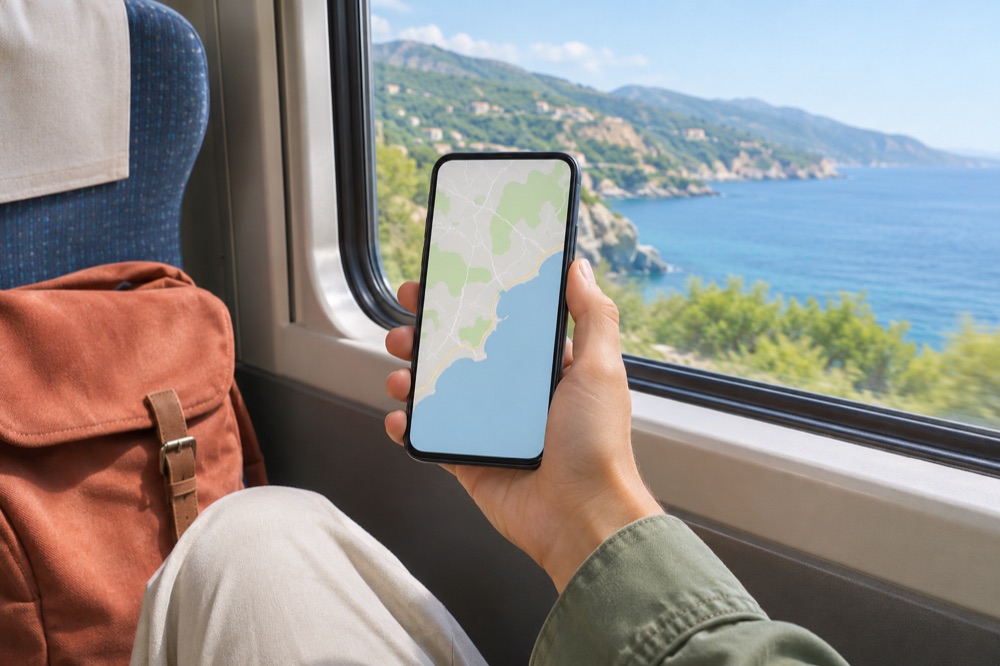
A traveler checking a map on a phone beside a coastal train window
Save a map on Wi-Fi before you leave. Live traffic and searches can still use cellular data.
When it counts
Streaming, live maps, video calls and hotspot use draw from the allowance when they use cellular. App updates and photo backups can also run in the background.
When it doesn’t
Traffic that stays on Wi-Fi uses that network. An offline map or playlist already saved on your phone can work without another download. Live traffic or a route outside your saved map may need a connection.
What 1 GB means here
The calculator uses 1 GB = 1,000 MB. Use the app’s download size for a known update or transfer.

A cellular connection carries uploads and downloads against the allowance of the SIM selected for data.

How to use the data calculator

Start with the preset closest to your routine. Then adjust the activities that will change while you travel.

  1. 1. Start with your trip

    Pick Casual browser, Remote worker or Custom. Enter the number of days you’ll need service, including arrival and departure days if you plan to use data on both.

  2. 2. Adjust a typical day

    Set the minutes you expect to spend on maps, social media, music or calls. Choose your video quality if you plan to stream, and enter the known file size for extra downloads.

  3. 3. Account for Wi-Fi

    Set the share of your activity traffic that goes over Wi-Fi. Think about where you’ll do data-heavy tasks. A hotel connection matters more if you’ll stream there than if you’ll only check messages.

  4. 4. Read the result and compare plans

    Use the ring to see what drives the total. If a category is larger than expected, change that input and compare again. Pick your destination and check that a plan covers both the allowance and the full trip.

The default safety buffer is 15%. Use it for unexpected activity. Enter a large transfer you already expect as a separate amount.

How much data do I need for travel?

For 7 days, this calculator estimates 3.42 GB for Casual browser and 11.28 GB for Remote worker. Both examples use 25% Wi-Fi and a 15% safety buffer. The presets include routine app updates and assume no extra one-time downloads.

Estimated mobile data for 7 days
Casual browser3.42 GB
Remote worker11.28 GB
Profile7 days15 days30 days
Casual browser3.42 GB7.34 GB14.67 GB
Remote worker11.28 GB24.18 GB48.36 GB

Preset activity times come from Saily’s calculator . The totals use the rates, Wi-Fi share and buffer on this page.

If you mostly use maps and messages

Start with Casual browser. If you save maps and playlists before leaving Wi-Fi, lower those activity times to reflect what you’ll actually do on cellular.

If you’ll stream video or work remotely

Add your planned streaming and calls, even if they fall on only a few days. For example, 30 minutes of 1080p video on cellular each day for a week adds about 10.5 GB before the buffer. If you stream or take calls mainly on Wi-Fi, adjust the Wi-Fi share to reflect that.

When you compare eSIM plans

Check the allowance and the number of valid days. For an unlimited or daily plan, read the high-speed limit and when it resets, especially if you’ll use a hotspot or join video meetings.

Travel gear and a camera laid out over a paper map
Include arrival and departure days if you’ll use maps, messages or ride apps in transit.

How we calculate mobile data

Trip GB = (daily MB × days × cellular share + one-time mobile MB) × (1 + safety buffer) ÷ 1,000

  1. Estimate a day. For each activity, multiply daily minutes by the hourly rate and divide by 60. Add the results to get daily usage in MB.
  2. Estimate the trip’s mobile data. Multiply daily usage by trip days and by (1 − Wi-Fi share). Then add app downloads, hotspot use and other mobile transfers entered for the whole trip.
  3. Add a safety buffer. Multiply the mobile total by (1 + buffer share). Divide by 1,000 to convert MB to GB.
  4. Match a plan. For each coverage option, pick the smallest fixed allowance that covers the unrounded estimate and the full trip. For equal allowances, pick the shortest valid duration, then the lowest price. Regional and global plans must include your destination in their coverage.

Worked example

The Casual browser profile adds up to 567 MB per day before Wi-Fi. For 7 days, at 25% Wi-Fi, that’s 2.98 GB on cellular. Add the 15% buffer for an estimate of about 3.42 GB .

The same Wi-Fi share applies to all timed activities. File transfers entered as mobile data count once and are included in the buffer. Daily average includes those transfers spread over the trip and is shown before the buffer.

Data usage by activity

These are the estimates used in this calculator. Actual use varies by app, video quality and file size.

ActivityData per hour
Maps & navigationTurn-by-turn directions and route searches10 MB
Social mediaPhoto feeds, stories and short clips250 MB
Video · Data saverShows, films and long videos300 MB
Video · Standard (SD)Shows, films and long videos700 MB
Video · Full HD (1080p)Shows, films and long videos3 GB
Video · Quad HD (1440p)Shows, films and long videos4.5 GB
Video · Ultra HD (4K)Shows, films and long videos7 GB
Music & podcastsAudio played over cellular100 MB
Web browsingNews, search results and shopping60 MB
Video callsWork meetings and calls with friends600 MB
Email & messagingText-first use with small attachments4 MB
App downloads & updatesRoutine app transfers across the trip300 MB

Data saver, SD, Full HD and 4K use Netflix playback benchmarks as planning values. Quad HD is a planning assumption. Daily app updates use a planning rate, and extra app downloads use their file size.

How long do 1 GB, 5 GB and 10 GB last?

Approximate time for one activity using mobile data only, before any safety buffer. Other activities and background traffic draw from the same allowance.

Activity1 GB5 GB10 GB
Video streaming
Data saver3h 20m16h 40m33h 20m
SD video1h 26m7h 9m14h 17m
Full HD (1080p)20m1h 40m3h 20m
2K / Quad HD (1440p)13m1h 7m2h 13m
4K / Ultra HD9m43m1h 26m
Everyday activities
Video calls1h 40m8h 20m16h 40m
Social media4h20h40h
Music & podcasts10h50h100h
Web browsing16h 40m83h 20m166h 40m
Maps & navigation100h500h1000h

Example with 5 GB. Watch about 7h 9m in SD, 1h 7m in 2K or 43m in 4K.

How to use less mobile data abroad

  • Download before you leave Wi-Fi. Save maps, playlists and shows for offline use.
  • Reduce video quality on cellular. Set a lower resolution and turn off autoplay in video and social apps.
  • Keep large transfers on Wi-Fi. Set app updates, photo backups and laptop cloud sync to wait for a trusted Wi-Fi network. A laptop connected to your phone’s hotspot still uses your mobile allowance.
  • Check which SIM carries mobile data. Select your travel eSIM as the data line and check the plan’s roaming instructions.
Same 30 minutes of video, different data use
Standard definition350 MB
Full HD (1080p)1.5 GB

Example based on the calculator’s streaming rates.

Travel data FAQ

Planning your allowance

Apps and devices

Travel eSIM plans